Discontinuation of GoogleScraper in favor of https://www.npmjs.com/package/se-scraper
Continue reading
Posted on December 24, 2018 in GoogleScraper • Tagged with discontinuation, GoogleScraper, scraping • 1 min read
Discontinuation of GoogleScraper in favor of https://www.npmjs.com/package/se-scraper
Posted on November 18, 2018 in Machine Learning • Tagged with introduction, machine learning, basic statistics • 6 min read
Posted on October 29, 2018 in Scraping • Tagged with Youtube, Video, Scraping • 4 min read
Posted on October 03, 2018 in Scraping • Tagged with Amazon, Reviews, Scraping • 2 min read
Posted on September 05, 2018 in GoogleScraper • Tagged with tutorial, GoogleScraper, scraping • 3 min read
Tutorial that teaches how to use GoogleScraper to scrape 1000 keywords with 10 selenium browsers.
Posted on August 30, 2018 in Wordpress, WooCommerce, functions.php, CSS, related-products • Tagged with Wordpress, WooCommerce, functions.php, CSS, hide-related-products, disable related products • 2 min read
I found many instructions and guides in the Internet that describe How to hide related products tab on shop page to be NOT WORKING!
It's a freaking pain in the ass to hide your related products tab on your shop page. The method to actually hide related products depends on the WooCommerce theme that you are using. In this article, we are going to present a method that provably works for every theme and WooCommerce version out there.
Step 1. Open the product page where your related products are shown.
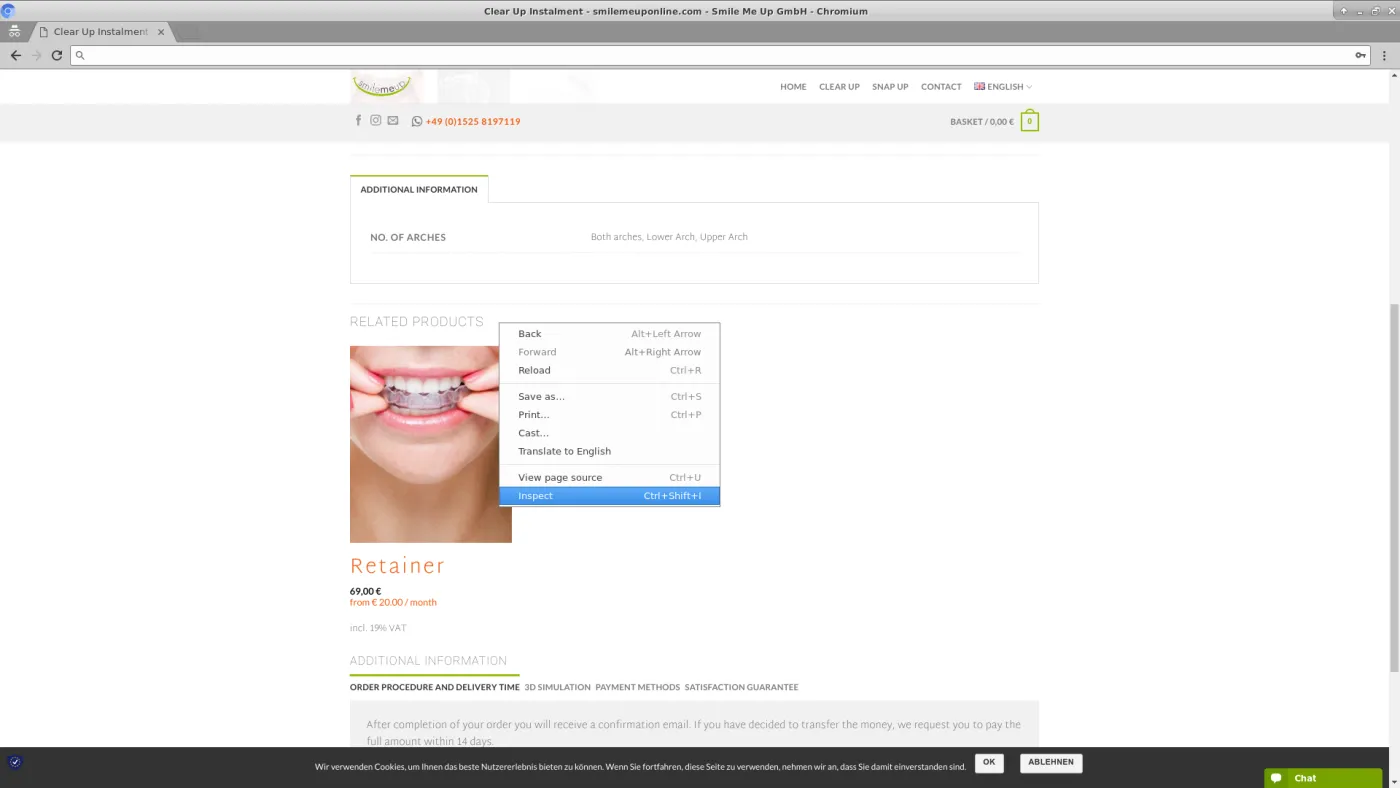
Step 2. Right click on the HTML with related products and open page inspect. See the picture below.
Step 3. Copy the class attribute of the container element that contains the related products HTML.
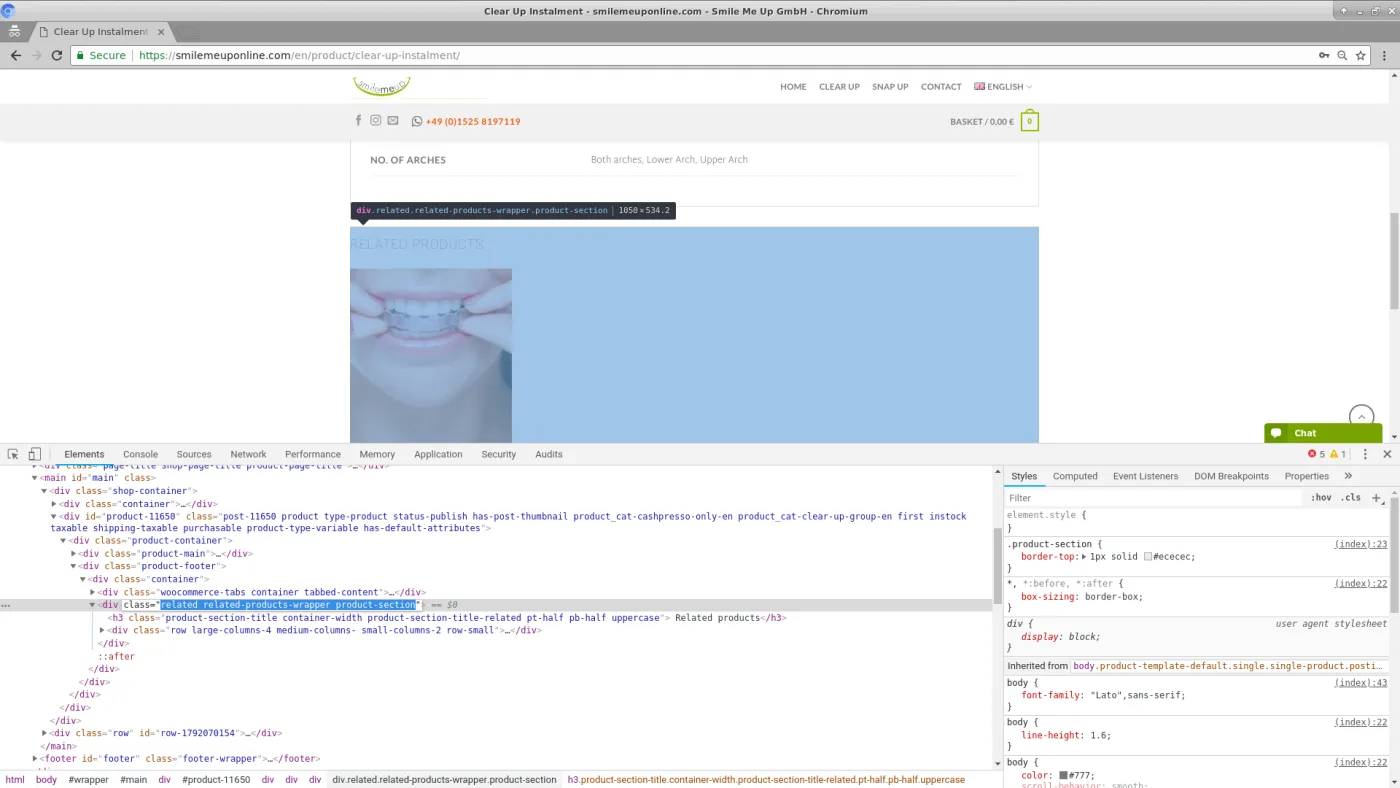
Step 4. Insert the copied class code to this CSS code. In my case, I copied related related-products-wrapper product-section and the resulting CSS will look like this. So you only have to replace spaces ' ' with points '.'.
In my case the final CSS code looks like this:
.related.related-products-wrapper.product-section {
    display: none !important;
}
Step 5. Replace CSS code from above with the line {{YOUR CSS CODE HERE …